
The short answer
Upload the film to your school's YouTube channel. Give it a title with your school name, town and type of school. Choose a clear thumbnail, add captions, then embed it on your homepage and Google Business Profile.
Why YouTube
YouTube videos often appear in Google search results, which Vimeo videos rarely do. So a family searching for schools in your town may find your film directly.
It is also free, and it plays well on phones. Most parents watch on a phone, often in the evening.
YouTube also handles the technical side for you. It adjusts the quality to each viewer's connection, so the film plays smoothly on slower broadband too.
Your film also stays under your control on YouTube. You choose who sees it, and you can change that at any time.
Before you upload
First, check that the channel belongs to the school, not to a member of staff. Use a shared school account, so access does not leave when someone moves on.
Then confirm your consent checks are complete. Your film should only show pupils whose families have agreed. My guide to parental consent for school filming covers this in more detail.
Finally, have your title, description and thumbnail ready before you start. The upload itself then takes only a few minutes.
It is also worth adding your school logo and a short channel description. The channel then looks official when families visit it.
Setting it up
- Title. Include your school name, town and type, such as "Burnhope Primary School, County Durham".
- Description. Write two or three sentences about the school. Add a link to your admissions page.
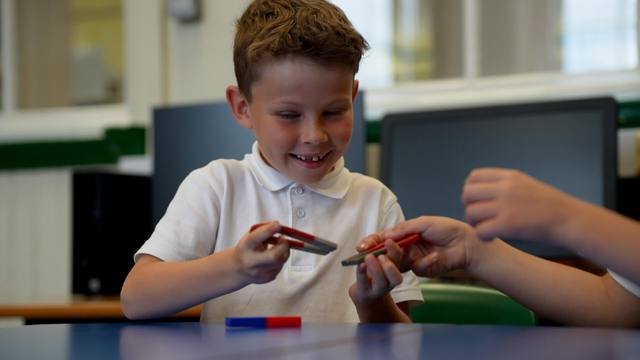
- Thumbnail. Choose a still of engaged younger pupils. Never use a child whose family has not given consent.
- Captions. Turn them on, and check YouTube's automatic ones for spellings. They help accessibility too.
- Audience. Mark the film as not made for children, as it is aimed at parents. This keeps the normal sharing features.
- Visibility. Set it to public only once your consent checks are complete. Until then, keep it unlisted or private.
Writing a good description
The description is where families learn more about your school. So treat it as a short welcome, not a list of keywords.
Start with one plain sentence about who you are, such as a village primary with a nursery. Then add what makes the school distinctive, in your own words.
Next, add the practical links. Your admissions page, your open evening dates and your website all belong here.
Also mention the town and nearby areas in natural sentences. Families often search by place, so this helps the right people find you.
Finally, keep it current. Update the open evening dates each year, so the description never feels out of date.
Put it to work
Embed the film near the top of your homepage. A dedicated video page helps too, as it gives Google a page to show.
Add the film to your Google Business Profile. It then appears when families search for your school by name.
Subject videos suit your curriculum pages. Each one shows learning in action, so a parent reading about science sees a real lesson.
Also share the YouTube link in newsletters and on Facebook. My guide to sharing your school film on Facebook explains how to post it well.
Then link to the film from your admissions emails and welcome letters. Families can watch it at home, at a time that suits them.
My guide on where to use your school video lists more places to share it.
Keep it tidy
Group your films into a playlist, such as "Life at school". Visitors then watch one after another.
Check the channel once a term. Remove anything out of date, and answer any comments.
If a pupil later needs removing from a film, take it down straight away. I can re-edit the film, and you can then upload the new version.
Over time, a tidy channel becomes a useful archive. However, only keep films public while they still show the school as it is now.
It also helps to check the film's views now and then. If few people watch, share it again before your next open evening.
Questions schools ask
Should we use YouTube or Vimeo?
YouTube, for most schools. Its videos are easier to find on Google, and it costs nothing.
Can we turn off comments?
Yes. Many schools do, so there is nothing to moderate.
What makes a good thumbnail?
A bright, close shot of pupils busy learning. Avoid text-heavy images, which are hard to read on a phone.
Should we upload the short vertical versions too?
Yes, if you have them. YouTube Shorts suits vertical clips, and I can supply short versions on request.
What if we need to replace the film later?
Upload the new version, then update the embeds on your website. Remove the old one, so families only see the current film. My guide to <a href="/guides/keeping-your-school-film-current-and-safe/">keeping your school film current and safe</a> explains more.
I supply your films ready for YouTube, with screen photos for thumbnails. Get in touch, and I will talk you through the options.
Book a free consultationSee prices