
The short answer
A phone or iPad and a free editing app are enough for everyday social posts. Hold the camera steady, film in good light and get close for sound. Keep clips short, add captions and check consent first.
What you need
You do not need special kit. A recent phone or iPad films in excellent quality.
A free editing app, such as iMovie, lets you trim clips and add captions. A small tripod or clamp helps too, and costs very little.
A clip-on microphone is also worth considering if staff speak to camera. It makes voices far clearer than the phone's own microphone.
Above all, you need a little time and a clear plan. Ten minutes of thought before a lesson saves an hour of editing later.
Before you press record
First, decide what the post is for. A single clear idea, such as a science experiment or a reading corner, works best.
Then check the room. Clear clutter from the background, and switch off noisy fans or music if you can.
Also put the phone into flight mode. A call or notification will not then interrupt a good take.
Finally, clean the lens. A smudge from a pocket makes every shot look soft.
It also helps to tell pupils what you are doing. A quick explanation keeps them relaxed, and they soon forget the camera is there.
Ideas that work well
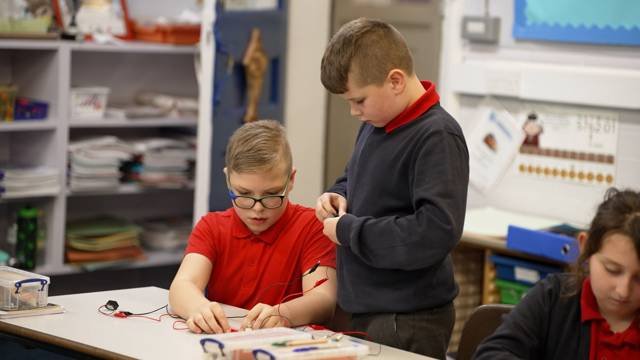
- A lesson in progress. Show pupils busy with a practical task, such as an experiment or a model.
- Before and after. Film a project at the start, then again once it is finished.
- A corner of school. Show the library, the garden or the forest school area in a few short shots.
- An event day. Capture the build-up and the best moments of a themed day or performance.
- A quick welcome. A member of staff introduces a new club or project in a few sentences.
Filming tips
- Check consent first. Know which pupils cannot appear before you start.
- Hold it steady. Brace your elbows, or rest the phone on something solid.
- Choose the shape. Film upright for Instagram and TikTok, and sideways for YouTube.
- Find the light. Face pupils towards a window, not away from it.
- Get close. Phone microphones pick up sound best within a metre or two.
- Film hands and faces. Close shots of pupils busy learning work better than wide shots of a room.
- Keep it short. Film several five-second clips, rather than one long take.
- Avoid zooming. Walk closer instead, as digital zoom makes footage grainy.
Editing
Aim for 30 to 45 seconds in total. Start with your best shot, because viewers decide quickly.
Add captions, as most people watch with the sound off. Then add your school name at the end.
Also watch the finished clip once more before posting. Check every face against your consent list, and check the captions for spellings.
Keep transitions simple, as plain cuts look cleaner than spinning effects. Also keep text large, short and on screen long enough to read.
Then save a copy of the finished clip on a school drive. You can reuse it later, such as in a newsletter or at an open evening.
Keeping it safe
Use a school device where you can, rather than a personal phone. Then delete clips from it once they are posted.
Avoid showing full names, uniforms with names, or anything that identifies where a pupil lives. Your safeguarding lead can advise on your own policy.
My safeguarding page explains how I handle consent and footage. The same principles work well for your own filming.
If a parent asks for a clip to be removed, take it down promptly. Then check whether the same footage appears anywhere else.
When to bring in a professional
Phone videos suit everyday posts. Your main promotional film needs more care, because families judge your school by it.
A professional film also brings planning, drone filming and a proper edit. Your phone clips then sit alongside it.
I can also supply short vertical versions of my films for Instagram and TikTok, on request. They give your feed a strong starting point between your own posts.
For more, see my guide to what to include in a school promotional video.
Questions schools ask
Is a phone good enough for school social media?
Yes, for everyday posts. Good light, steady shots and clear sound matter more than the camera.
Can staff use their own phones?
Check your school's policy first. Many schools provide a school device for filming instead.
Can you give us some pointers?
Yes. I am happy to share a few tips when I film at your school.
Should we add music to our clips?
Only music you have the right to use. Instagram and TikTok offer licensed tracks inside their apps, which is the simplest option.
How often should we post?
Little and often works well. One or two short clips a week keeps your feed active without taking over a teacher's week.
Want a few pointers for your own videos? Ask me when you book your filming day, and I will happily share what works.
Book a free consultationSee prices